
Keeping Remote Teams Healthy and Engaged
Virtual Activities
Virtual activities – like icebreakers, games and team collaborative projects – are a great way to engage a team and learn more about each member. These activities can help teammates feel more connected – no matter where you are. Try one of the following virtual activities to keep you and your remote team engaged and productive.
Pose a Question
At the beginning of your event, pose a question and ask each member to share their perspective. These types of questions can also be posted in an online forum for discussion and sharing. Some sample questions are:
- Would you rather be an athlete or a coach?
- What’s your best summer vacation memory?
- What is the best thing you ever received in the mail?
- What is more important, intelligence or common sense?
- What rule or policy would you like to change the most?
- Would you rather meet and spend some time with your great-great grandparents or your great-great grandchildren?
- What decade do you wish you could have been alive for?
- How has music changed in your lifetime?
- If you could trade lives with someone for a week, who would it be?
- Which reality show would you like to participate in?
- What is better, donuts or bagels? Why?
- What’s your favorite moment of the day?
- What was the worst hairstyle you ever had?
- What is something new you would like to try this year?
- What will you remember most about this year?
- If you could create a life-sized version of a game, which game would it be?
Show & Tell
Antique Road Show!
Have each person share an item from their home that is valuable to them. Encourage them to tell the story behind the item. As a team, give the item an estimated value (values can be grossly inflated for fun).
Whose Desk is this?
Have team member send a pic of their remote working spot. Display pics in meeting and try and look for clues indicating the owner.

Productivity Tool
Have participants share a tool that helps them with their productivity. Perhaps it’s their favorite notebook, set of pens, or their mobile device. Others can get ideas or learn from their teammates’ methods.
Game Time
Digital games can be fun for the entire team. Here are a few games or activities to add to your next virtual event:
Bingo!
Bingo is an easy game to do online. Create bingo cards and send them to your participants before game time. Designate a caller and let the fun begin. Make things more interesting by creating custom bingo themes like “things I’ve heard at work lately”, “favorite binge-worthy shows”, or “best pandemic work from home snack”. You can also use a website like My Free Bingo Cards to play a traditional game with a virtual caller.
Scavenger Hunt!
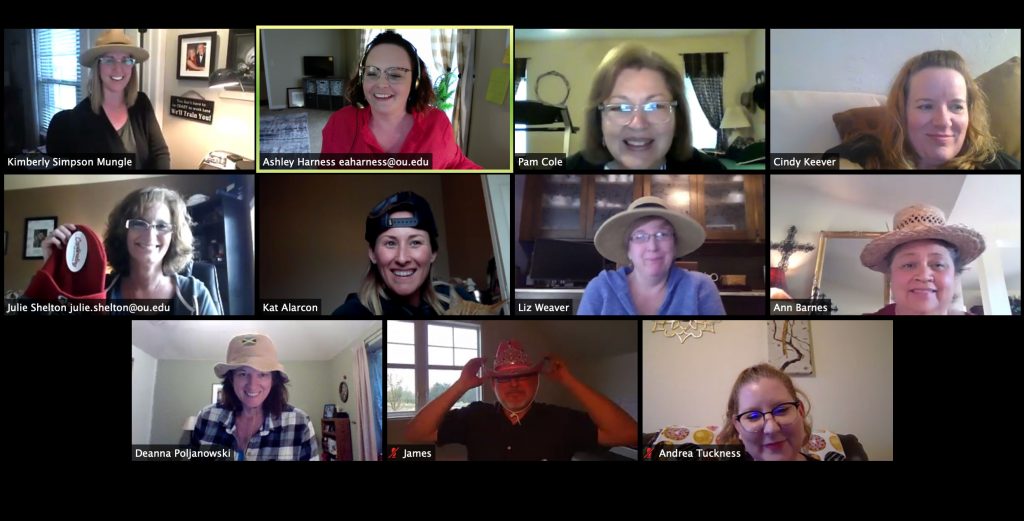
Compile a list of items each team member needs to gather. Set a timer and send them off. Each item garners each participant a point. If desired, continue to a second round with more difficult items to determine a winner. A hat is a fun item to add to your Scavenger Hunt list!
Trivia!
Work from home teams can still have fun testing their knowledge via an old-fashioned (digital) trivia game. Create your own questions that are themed for your event, learning activity, etc. Or use this this random trivia generator and start asking questions. Have each person send their answer in the chat function at the same time or use a white-board annotation feature.
Name/Place/Animal/Thing!
To play, pick a letter. Each player has to list a famous person’s name, a place, an animal, and a thing that begins with that letter. The first person to type them into chat wins.
Pictionary!
Pictionary is one of the easiest games to play in your next virtual event. To play, divide your group into teams. Choose which team will “guess” first and designate a drawer from that team. Send the drawer a private message with a word or phrase to draw. The drawer has one minute to draw while the team tries to guess. If the team guesses correctly, they get a point. If the team does not guess correctly, the other team has a chance to steal the point. You can also use this digital word generator here: Pictionary word generator.
Charades!
Charades is a basic game that translates easily to the virtual environment. Split your group into two teams. Private chat the person who will be “acting” a word or phrase. Their team has one minute to figure out the phrase. You can also use a charades idea generator to choose your words and phrases.
Emoji Version of Charades!

Each participant is e-mailed the name of a song, book, or movie at least a day before the meeting. They have time to open up a messaging system with emojis (Teams is not good for this – you need more choice) and demonstrate the name to be shared onscreen. The first person to determine the name of the book, movie, or song gets a point. For example, can you get this one? (Singing in the Rain)
Scattergories!
Scattergories is a fun game to play virtually. The rules are simple: there is one letter and five categories (things like “movies,” “office supplies,” and “food”). You have 60 seconds to come up with a word that fits in each category and starts with the chosen letter. The more unique your answer is compared to your co-workers’ answers, the more points you get. You can utilize chat, annotation on the screen, or have your teammates write down their answers and share after the allotted time. There is also a digital version available at free game generator. This format allow each person to play via a link they receive.
Speed Chatting!
Use the breakout rooms feature of your virtual session for this activity. Remote teams may not get a chance to chat with everyone individually, creating a rotating discussion opportunity is a great way for team members to catch up with others one on one. The breakout assignments can be random with an assigned topic (for ex. “Share a fun fact about yourself”). Shuffle the breakout sessions every couple of minutes so that each person gets some one on one time with most team members.
Productive Virtual Efforts
Digital Manuals and SOPs
Have your team partner or virtually gather in smaller groups to create digital user manuals for processes and procedures used by your team. This will help each member gain a better understanding of each other’s role and also assist in on-boarding future employees.
Digital Filing
Organize and clean-up digital files and folders. Ensure digital folders are well organized and structured in a way that makes sense to outsiders. Archive or delete outdated/irrelevant information.
Road-maps and Bulletin Boards
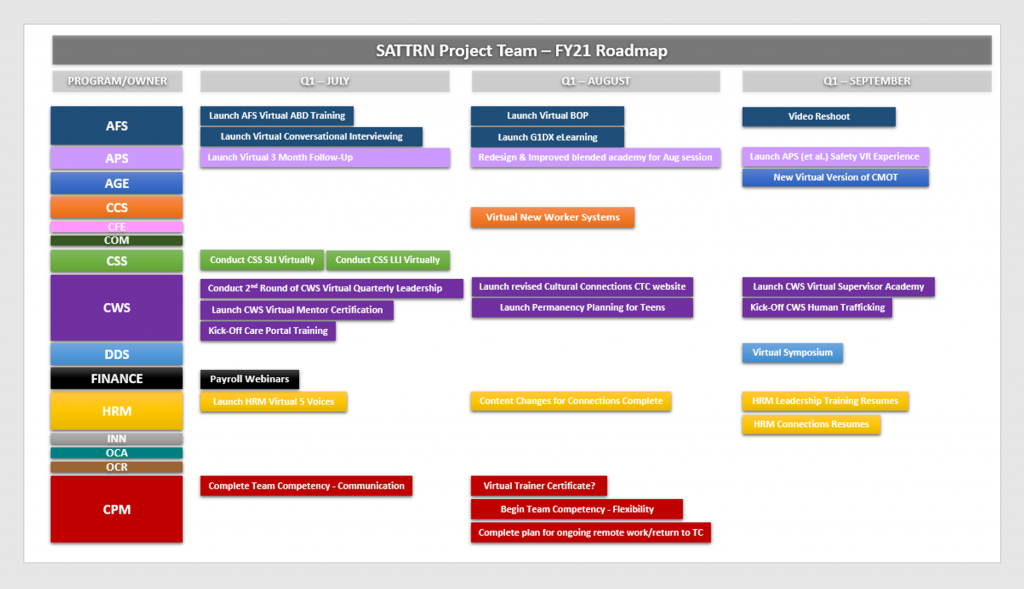
Create a digital road-map or bulletin board of team goals. Ensure each goal identifies an owner and has a date associated with it. Discuss pertinent items in each team meeting. Move projects along the road or board and mark completed as needed. Celebrate completions and brainstorm solutions when goals or projects stagnate. A digital bulletin board or road-map can give teams a visual of project status, completions, and challenges.
Collaborate on Team Expectations!
Set aside time to collaborate on team expectations and team norms. Expectations and Norms should be created and agreed upon by the entire team. It’s a good idea to set expectations on the following:
Communication
Assign expectations on preferred methods of email, chat, phone calls and live meetings. Create expectations on response times, grammar, and punctuation. Create awareness on communication styles and understand each other’s preferred method – but also encourage a culture of “assuming the best intent” when it comes to communicating within a team. Create a digital collaboration place where the team can share non-work chatter so that work communications do not get lost.
Scheduling
Establish norms for work times for the team. Understand how to effectively use and view each other’s calendar. Develop routines and make others aware (follow a schedule when possible). Ensure time is set aside to meet regularly as a team and one-on-one.
Updates
Define a way for team members to share daily or weekly updates. This can be done via a shared document, email, or a collaborative application like TEAMs.
Definition of Roles
As a team, define roles to alleviate confusion of who does what. Revisit and modify as necessary. Discuss what to do when role expectations crossover or when a member of a team needs help.
Peer and Small Group Connects
Remote teams need to not only connect as a whole, but also connect on a smaller scale as well. Peers with similar responsibilities or those who are working together on projects should schedule time to meet regularly as well.
Just for Fun
Virtual Lunches or Coffee
Set aside time to connect as a team. Bring your lunch or favorite beverage and catch up on non-work related conversation.
Digital Celebration Cards
If you can no longer send around a birthday or congratulatory card at the office, create a digital version and have everyone “sign”. Present it to team members.
Employee of the Month/Quarter
Find ways to celebrate accomplishments by awarding employee of the month or quarter. This creates a sense of value and belonging.
Best Practices
Unplug
Encourage the team to utilize vacation time and daily breaks. Encourage the team to get up and move each day to increase blood flow which leads to better brain function and creativity.
Live Meetings (in-person if possible)
If it was important to have in person before (performance reviews, team meetings, etc.) you should still have those in person (or virtually on camera at the least). This creates psychological safety which increases engagement and retention.
Regular “quick” check-ins
Check-ins with peers, direct reports, and cross functional teams will allow members to keep each other motivated, engaged, and help prevent burn-out.
Physical Space!
Encourage team to set up an office space that they can separate from the rest of their home. Provide necessary tools for employees to be able
For additional remote working resources see post: Remote Work Resources